> For the complete documentation index, see [llms.txt](https://docs.openg2p.org/llms.txt). Markdown versions of documentation pages are available by appending `.md` to page URLs; this page is available as [Markdown](https://docs.openg2p.org/platform/platform-services/reporting-and-analytics.md).
# Reporting & Analytics
How a registry's records become reports — the reporting views underneath, the dashboards on top, and the map drill-down beside them.
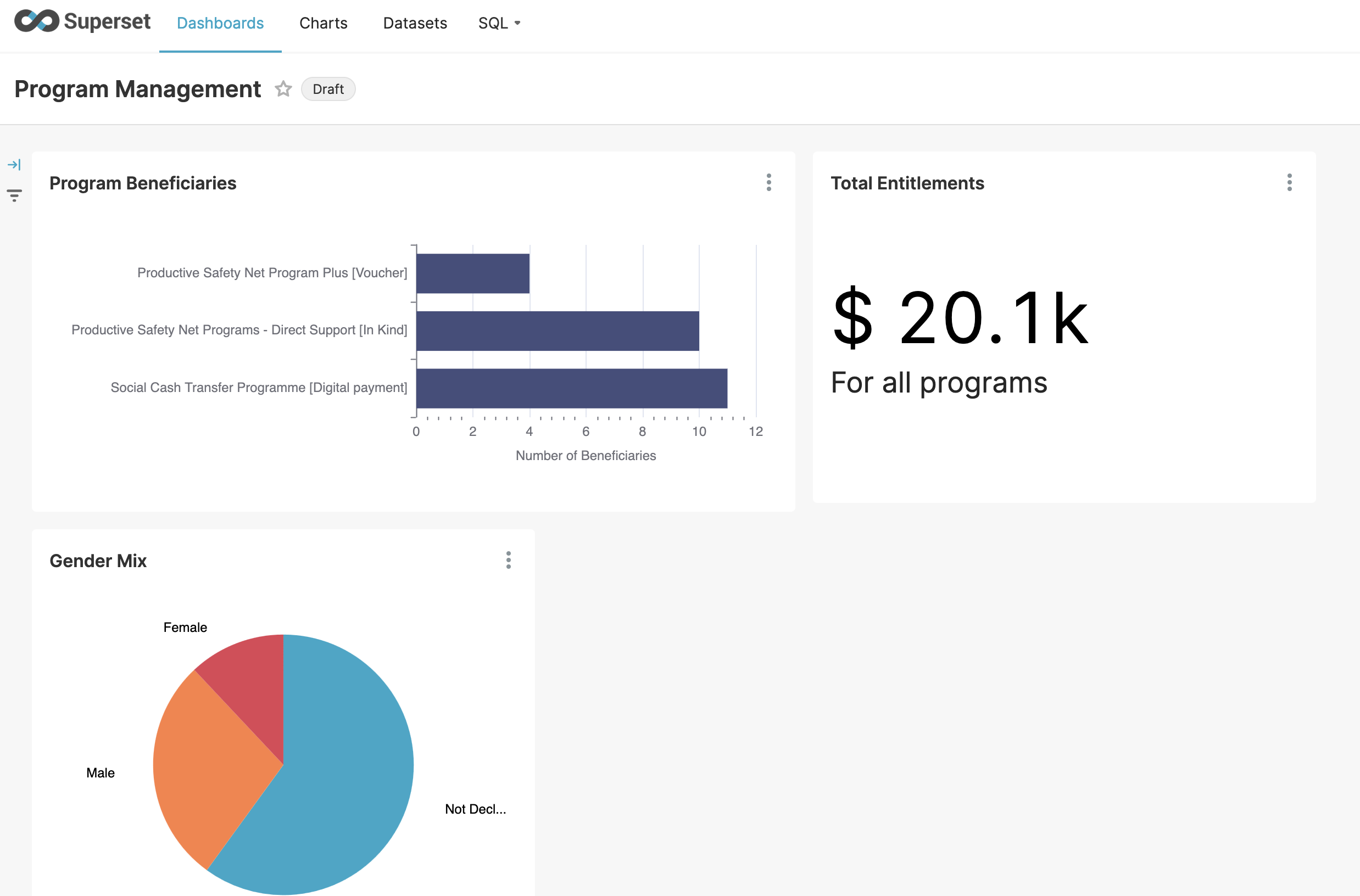
A registry's dashboards, in Apache Superset
A registry stores records so that people can be registered. Reporting asks a different question of the same data — how many, where, how has it changed — and the shapes that suit one suit the other badly. A register is normalised, keyed by opaque ids, and holds personal detail no report should carry.
So there is a layer in between, and everything on this page sits on one side of it or the other.
```
the register reporting layer what people see
──────────── ─────────────── ───────────────
g2p_register_farmers ──► fr_rpt_farmer ──► Superset dashboards
g2p_register_lands fr_rpt_land map drill-down
g2p_register_crops fr_rpt_crop … and more ad-hoc queries
…31 tables one view per entity
```
## The three pieces
[**Reporting views**](/platform/platform-services/reporting-and-analytics/reporting-views.md) — one view per entity in the registry, at record grain, carrying geography and workflow, with personal data withheld. Mostly **generated** at install from the registry's own schema, so a registry gets a complete reporting layer without anyone writing SQL for it. What cannot be inferred — what a country means by "uses modern inputs", where its age bands fall — is **declared** in a small file the registry ships.
[**Dashboards**](/platform/platform-services/reporting-and-analytics/dashboards.md) — Apache Superset, reading those views. Each registry ships its own bundle and imports it during its own install, so a registry brought up on its own arrives with dashboards that already have data behind them.
[**Map drill-down**](/platform/platform-services/reporting-and-analytics/map-drill-down.md) — a choropleth per administrative level, clicking down from region to district to ward. It reads the same views, joins to boundary shapes on P-code, and is driven by a handful of SQL files the registry supplies.
## Restricting what each viewer sees
[Row-level security](/platform/platform-services/reporting-and-analytics/row-level-security.md) filters a dataset by attributes carried on the viewer's own login — region, district, department — so one dashboard serves every office without a role per office.
## Where to start
If you are bringing up a registry for a country, read [**Setting up reporting**](/platform/platform-services/reporting-and-analytics/setting-up-reporting.md) — it covers what arrives with no configuration at all, what to write when your schema differs, and what to do when a country pack or a registry schema later changes.
{% hint style="info" %}
**Where the data itself comes from:** country packs, P-codes, the geographic hierarchy in Master Data and boundary shapes in the object store are on [Country Packs](/platform/platform-services/master-data-service/country-packs.md); how bulk sample data is generated is on [Country data & seeding](/products/registry/registry/deployment-and-extension/country-data-and-seeding.md#bulk-data-is-generated-by-each-registry). This section assumes that data exists and describes what is built on top of it.
{% endhint %}
---
# Agent Instructions
This documentation is published with GitBook. GitBook is the documentation platform designed so that both humans and AI agents can read, navigate, and reason over technical content effectively. Learn more at gitbook.com.
## Querying This Documentation
If you need additional information that is not directly available in this page, you can query the documentation by asking a question.
Perform an HTTP GET request on the following URL with the `ask` and `goal` query parameters:
```
GET https://docs.openg2p.org/platform/platform-services/reporting-and-analytics.md?ask=&goal=
```
`ask` is the immediate question: it should be specific, self-contained, and written in natural language.
`goal` is what the user is ultimately trying to achieve, the reason they need the answer. Sharing it helps GitBook give you a better, more relevant answer. A goal is most helpful when it describes the outcome the user wants rather than restating the question. For example, with `ask=how do I create an API token`, a goal like `automate deployments from our CI pipeline` lets GitBook tailor the answer to that use case.
The response will contain a direct answer to the question and relevant excerpts and sources from the documentation.
Use this mechanism when the answer is not explicitly present in the current page, you need clarification or additional context, or you want to retrieve related documentation sections.